

Android devices have made gaming more accessible by allowing people to enjoy different types of games directly through their mobile browsers. Instead of downloading and installing every game, users can open a website, select a game, and start playing. This experience is possible because modern browsers support several technologies that allow interactive applications to work smoothly on mobile devices. Browser compatibility, internet connectivity, device performance, and responsive design all contribute to the experience.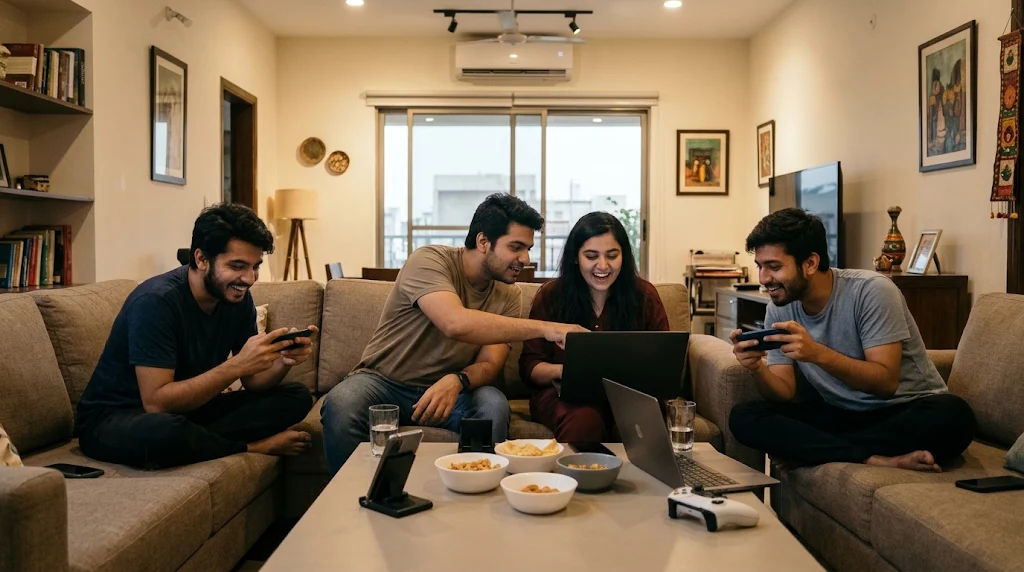
One important part of this development is how online games communicate with Android browsers and use the device's available features. These games rely on technologies such as HTML5, JavaScript, WebGL, and browser storage to display graphics, process player actions, and maintain progress. Understanding these technologies makes it easier to see why some games work perfectly on Android while others may experience loading problems or performance limitations.
Browser support is not simply about opening a gaming website. It involves communication between the website, browser, Android operating system, and device hardware. Each component performs a different function to create an interactive experience. This comprehensive guide explains how Android game browser support works, which technologies make it possible, and what users should understand about compatibility and performance.
Android Game Browser Support
Android game browser support refers to the ability of a mobile web browser to open, display, and operate games designed for web-based environments. It allows developers to create games that people can access through browsers such as Google Chrome without necessarily installing a separate application.
A browser acts as a connection between the game and the Android device. It receives the game's files, processes the programming instructions, displays visual elements, and responds to user interactions.
For example, when someone opens a simple puzzle game, the browser loads the game's images, sounds, interface, and programming code. It then displays the game on the screen and processes every touch or selection made by the player.
Modern Android browsers support many technologies needed for these activities. However, the exact experience depends on the browser version, available hardware, operating system, and requirements of the individual game.
Why Browser Support Matters
Browser support is important because Android devices come in different sizes and have different technical capabilities. A game designed for a modern smartphone might not perform equally well on an older device.
Developers must consider these differences when creating browser-based games. They need to make sure that buttons, graphics, animations, and other interactive features work correctly across different devices.
Good browser support provides several advantages:
-
Easier access without installing a separate application.
-
Compatibility with different Android screen sizes.
-
Convenient game updates through website changes.
-
Better accessibility across supported browsers.
-
Reduced dependence on device storage.
-
Opportunities to create games for different types of users.
These advantages explain why browser technology has become an important part of mobile gaming.
Technologies That Make Android Browser Games Work
Several web technologies work together to make browser-based gaming possible. Each technology has a particular responsibility, from displaying the interface to processing game instructions.
HTML5 for Game Structure
HTML5 provides the basic structure of a browser game. It defines the elements that appear on the webpage, including menus, buttons, game areas, and other interface components.
Developers can use HTML5 to organize the game's content and create a structure that browsers understand.
One particularly useful feature is the HTML canvas element. It provides a drawing area where developers can display moving objects, animations, and interactive graphics.
For example, a simple arcade game might use a canvas to display a character, background, obstacles, and score information. The browser updates this area as the game progresses.
HTML5 also supports multimedia elements, allowing developers to include audio and video without requiring traditional browser plugins.
JavaScript for Game Functionality
JavaScript is responsible for much of the interaction inside browser games. It processes player actions, controls game logic, updates scores, and manages different activities.
When a player touches a button, JavaScript can recognize the interaction and perform the appropriate action.
For example, in a OPEN88 game, JavaScript may check whether two selected objects match. If they do, it updates the game state and displays the next action.
JavaScript also manages animations, timers, menus, and communication with online servers.
Modern Android browsers include JavaScript engines that are designed to process code efficiently. This helps developers create interactive experiences without requiring a separate native application.
CSS for Mobile-Friendly Design
CSS controls how a browser game looks and how its interface is arranged.
It manages colors, fonts, spacing, button sizes, backgrounds, and responsive layouts.
Mobile-friendly CSS is especially important because Android smartphones have different screen dimensions and resolutions.
A responsive design adjusts the interface according to the available screen space. For instance, a game may display a wider menu on a tablet but use a compact arrangement on a smartphone.
This flexibility makes browser games easier to use across different Android devices.
How Android Browsers Process Games
Understanding the loading process helps explain how browser support works in practice.
When a user opens a gaming website, several activities happen behind the scenes.
Step 1: The Browser Opens the Website
The process begins when the user enters a website address or selects a gaming link.
The browser sends a request to the website's server. The server responds by providing the webpage and the files needed to display the game.
These files may include HTML documents, JavaScript code, CSS stylesheets, images, audio, and other resources.
Step 2: The Browser Loads Game Resources
After receiving the website files, the browser begins processing them.
It identifies the different elements and prepares the game interface.
Some games load all their resources immediately, while others download additional content when required.
Loading methods depend on the game's design and the developer's decisions.
Step 3: The Browser Executes Game Code
Once the necessary files are available, the browser executes the JavaScript code.
This code controls the game's behavior, including player movement, scoring, animations, and interactive elements.
More demanding games may also use WebAssembly to execute compiled programming code efficiently.
Step 4: The Game Displays Its Graphics
The browser displays the game's visual elements using available rendering technologies.
Simple games may use ordinary webpage elements or the Canvas API. More advanced games may use WebGL for hardware-accelerated graphics.
The browser works with the device's graphics hardware to produce the images shown on the screen.
Step 5: Player Actions Are Processed
Android devices primarily use touchscreens for interaction.
When a player taps, presses, or moves a finger across the display, the browser detects the corresponding input event.
The game receives that information and responds according to its programming.
This process continues throughout the gaming session.
The Role of WebGL in Android Gaming
WebGL is an important technology for browser games that require more advanced graphics.
It allows developers to create interactive two-dimensional and three-dimensional graphics directly inside compatible browsers.
Unlike traditional webpage elements, WebGL can use the device's graphics processing unit to handle demanding visual tasks.
How WebGL Improves Graphics
WebGL provides access to graphics capabilities that help games display detailed environments, animated objects, lighting effects, and other visual features.
For example, a three-dimensional racing game may use WebGL to display vehicles, roads, scenery, and camera movements.
The graphics processing unit handles many rendering operations, helping the browser produce visual updates efficiently.
However, performance depends on the device's hardware and the complexity of the game.
WebGL Compatibility
Modern Android browsers commonly support WebGL, but compatibility is not guaranteed on every device or configuration.
Some devices may have limited graphics capabilities, outdated drivers, or browser settings that affect graphics performance.
Developers should test their games across different devices and provide alternative graphics options when necessary.
The goal is to make the experience accessible without requiring every user to own a powerful smartphone.
How Touchscreen Controls Work
Touchscreen controls are one of the most important parts of Android browser support.
Unlike desktop computers, smartphones generally do not have a physical mouse and keyboard available for everyday gaming.
Therefore, developers must design interfaces that respond naturally to touch.
Touch Events and Pointer Events
Browsers provide event systems that allow games to detect user interactions.
These systems can identify when someone touches the screen, moves a finger, or releases contact with the display.
Pointer events can also help developers create interfaces that work with different input methods.
For example, a player might tap an arrow button to move a character or drag an object to another position.
The browser communicates these actions to the game, which then updates its visual display.
Designing Comfortable Controls
Good controls should be large enough to select comfortably and positioned where players can reach them easily.
Developers should avoid placing important buttons too close together because accidental selections can affect the experience.
Controls should also adjust to portrait and landscape orientations when the game supports both.
Clear instructions and simple navigation make browser games easier to understand, particularly for new users.
How Internet Connectivity Supports Browser Games
Internet connectivity is another important part of browser gaming.
Some games operate almost entirely through the browser after loading. Others depend on continuous communication with remote servers.
Server Communication
A gaming website may communicate with a server to retrieve information, verify accounts, load additional content, or update player progress.
For multiplayer experiences, the server can also coordinate information between different players.
WebSockets are commonly used when applications require ongoing two-way communication between a browser and a server.
This allows information to move between connected systems without repeatedly creating completely new connections.
Understanding Connection Quality
A stable internet connection helps games load resources and communicate with servers.
Slow connections may cause longer loading periods, delayed updates, or interruptions.
However, not every performance problem is caused by internet speed. Device memory, browser processing, graphics capabilities, and game optimization also matter.
Developers should consider different network conditions when designing their games.
Browser Storage and Game Progress
Players often want their progress to remain available after closing a webpage.
Browser storage technologies help developers provide this feature.
Local Storage
Local storage allows websites to save small amounts of information directly inside the browser.
A simple game might use it to remember sound preferences, selected settings, or a player's previous score.
The information can remain available when the user returns to the website, subject to browser storage policies and user settings.
IndexedDB
IndexedDB is designed for storing larger and more structured amounts of information.
Developers can use it to save game-related data, settings, and other information locally.
This can reduce the need to download the same information repeatedly.
However, locally stored progress is not automatically synchronized between devices.
Cloud-Based Saving
Some games use online accounts and remote databases to maintain player progress.
When a user signs in, the game may retrieve previously saved information from its server.
This can make it possible to continue playing on another supported device.
The availability of this feature depends on the game's account and synchronization system.
Why Browser Compatibility Differs Between Android Devices
Not every Android smartphone offers exactly the same browser experience.
Differences in software, hardware, and browser versions can influence how games operate.
Browser Version
Older browsers may not support every modern web technology.
A game that depends on a newer JavaScript feature or graphics capability might not work correctly in an outdated browser.
Keeping the browser updated can improve compatibility and security.
Android Operating System
The Android operating system provides the environment in which browsers operate.
Different operating system versions may include different system components and security updates.
Although browsers often receive independent updates, device software can still influence performance and available functionality.
Hardware Capabilities
A smartphone's processor, graphics hardware, memory, and available storage all affect gaming performance.
A lightweight puzzle game may run comfortably on a basic device, while a detailed three-dimensional game may require more powerful hardware.
Developers should optimize their games to accommodate a reasonable range of device capabilities.
Common Problems With Android Browser Games
Even when a game supports Android browsers, users may occasionally experience technical problems.
Understanding the causes can make troubleshooting easier.
Game Does Not Load
A game may fail to load because of an unstable internet connection, missing website resources, or temporary server problems.
The browser may also have difficulty processing certain game files.
Checking the connection, refreshing the webpage, and trying an updated browser may help identify the issue.
Graphics Appear Incorrectly
Graphics problems can occur when a device does not support a required rendering feature or has limited graphics resources.
Some games also contain optimization issues that become noticeable on particular screen sizes.
Developers can reduce these problems through compatibility testing and alternative rendering options.
Controls Do Not Respond
Unresponsive controls may result from programming errors, incorrect touch-event handling, or browser compatibility problems.
Developers should test touch interactions on actual Android devices rather than depending entirely on desktop testing.
Game Runs Slowly
Slow performance may be related to limited memory, demanding graphics, excessive animations, or inefficient programming.
Closing unnecessary browser tabs and applications may improve available device resources.
Users should also avoid assuming that every slowdown is caused by the internet connection.
Security and Privacy in Browser Gaming
Security is another important aspect of Android game browser support.
Browser-based applications operate within a controlled environment that limits how websites interact with the device.
This environment is commonly called a browser sandbox.
Browser Security Features
Modern browsers use security protections to reduce the risks associated with untrusted websites.
These protections restrict access to certain device resources and help separate webpage activities from other applications.
Secure websites also use HTTPS to protect information transferred between the browser and the website.
Protecting Personal Information
Users should be careful when providing personal details to gaming websites.
A game should not require unnecessary personal information to provide ordinary entertainment.
It is also important to understand website privacy policies and avoid sharing account passwords or sensitive information.
Responsible browsing helps create a safer gaming experience.
How Developers Improve Android Browser Support
Developers use several methods to make games work reliably across Android browsers.
Responsive Game Design
Responsive design allows the game interface to adjust to different screen sizes.
Developers test menus, controls, graphics, and text on different smartphones and tablets.
This reduces display problems and improves usability.
Performance Optimization
Optimization involves reducing unnecessary processing and managing resources carefully.
Developers may compress images, reduce large file sizes, simplify animations, and improve the efficiency of their code.
These improvements can help games run more smoothly on devices with limited resources.
Cross-Browser Testing
Testing across multiple browsers helps developers identify compatibility problems.
They may compare performance, touch controls, audio playback, graphics rendering, and storage behavior.
Chrome, Firefox, and other supported Android browsers can behave differently depending on their versions and available features.
Progressive Web Applications
Progressive Web Apps, commonly called PWAs, combine website technology with additional application-like features.
Depending on browser support and implementation, they can offer installation, offline capabilities, and convenient access from a device's home screen.
A browser-based game developed as a PWA can provide an experience that feels closer to a traditional mobile application.
However, PWA features are not identical across all browsers and devices.
Benefits of Android Browser Game Support
Android browser support provides several practical benefits for both players and developers.
Convenient access: Players can open compatible games through a website without going through a traditional installation process.
Cross-device availability: Developers can create games that operate on smartphones, tablets, and computers using compatible web technologies.
Simplified updates: Website owners can update game files on their servers without requiring every player to install a new application version.
Flexible development: Developers can combine HTML5, JavaScript, CSS, and graphics technologies to create different gaming experiences.
Reduced storage requirements: Browser games do not always need a complete application installation, although they may still download and temporarily store substantial amounts of data.
Easy sharing: A game can often be shared through an ordinary website link, making it easier for people to access.
These benefits have helped browser technology become an important option for mobile entertainment.
The Future of Android Browser Gaming
Browser technology continues to develop, creating new opportunities for mobile game developers.
Improvements in graphics, programming languages, device hardware, and network technology may support increasingly sophisticated browser experiences.
WebAssembly can help developers bring performance-intensive applications to the web. WebGL and evolving browser graphics technologies can support more advanced visual effects.
Progressive Web Apps may also continue improving the way users access web-based applications.
Another important development is better performance optimization. Developers increasingly focus on creating experiences that work across different hardware levels instead of designing exclusively for expensive smartphones.
As browser standards evolve, compatibility testing will remain essential. Developers must continue checking whether their games work correctly across supported Android browsers and operating system versions.
Conclusion
Android game browser support works through a combination of browser technology, operating system features, device hardware, and internet communication. These components work together to load game files, display graphics, process touchscreen interactions, manage sound, and maintain player progress.
HTML5 provides the basic structure, JavaScript controls interactive behavior, CSS creates responsive layouts, and WebGL supports advanced graphics. Browser storage technologies help maintain selected information, while internet protocols allow games to communicate with remote servers.
Understanding these technologies explains why some browser games operate smoothly while others experience loading, compatibility, or performance problems. Browser versions, device specifications, network conditions, and development quality all influence the overall experience.
For developers, the most important priorities include responsive design, efficient programming, cross-browser testing, and appropriate security protections. For users, keeping browsers updated and using compatible devices can help reduce common technical difficulties.
Ultimately, online games benefit from Android browser support because it makes web-based entertainment more accessible and flexible. As mobile browsers continue improving, developers will have more opportunities to create engaging gaming experiences that work without requiring traditional application installations. A well-designed browser game can combine convenient access, responsive controls, reliable performance, and enjoyable gameplay while taking advantage of the technologies already available on modern Android devices.